
Folders for Your Entire WordPress Dashboard
WP Adminify turns your chaotic Media Library into a clean, color-coded folder system – and goes further than any other plugin by letting you organize Posts, Pages, WooCommerce Products, and every Custom Post Type the same way. Drag, drop, done.

One Folder System for Everything in Your Dashboard
WP Adminify’s Folder Module brings real folder organization to your entire WordPress backend – not just media, but Posts, Pages, WooCommerce Products, and any Custom Post Type.
Create unlimited nested folders, assign colors for instant recognition, and drag files exactly where they belong. Your URLs never change. Your existing pages never break.
Color-Coded Folders with Unlimited Nesting
Create as many folders and subfolders as your workflow demands. Assign unique colors to each folder for instant visual recognition – blue for “Client Assets,” red for “Urgent Review,” green for “Approved.” No more guessing. No more clicking into the wrong folder. You spot what you need at a glance, even in a hierarchy 5 levels deep.
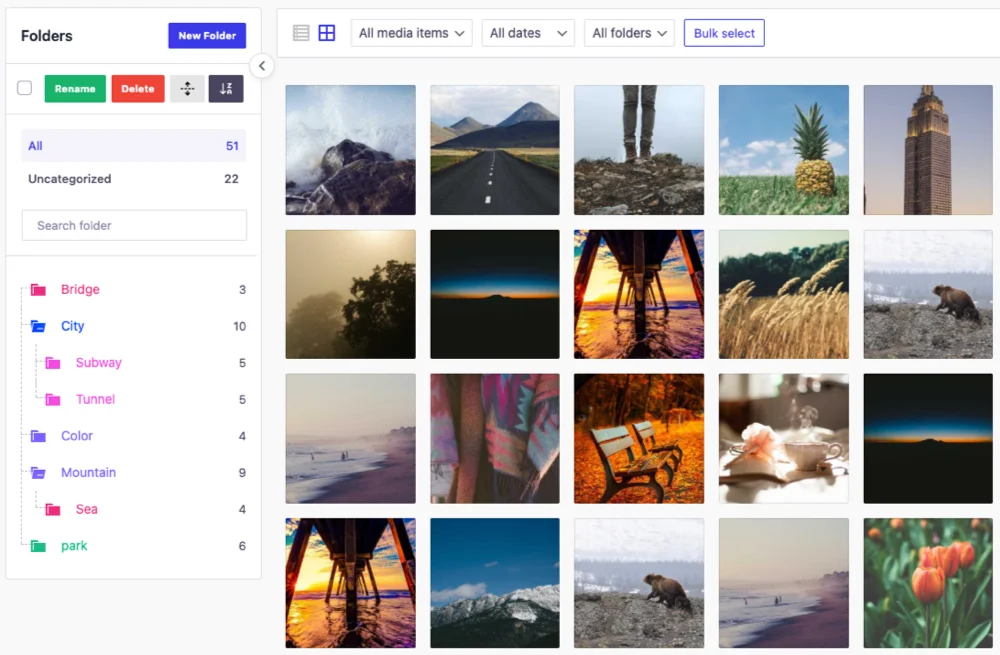
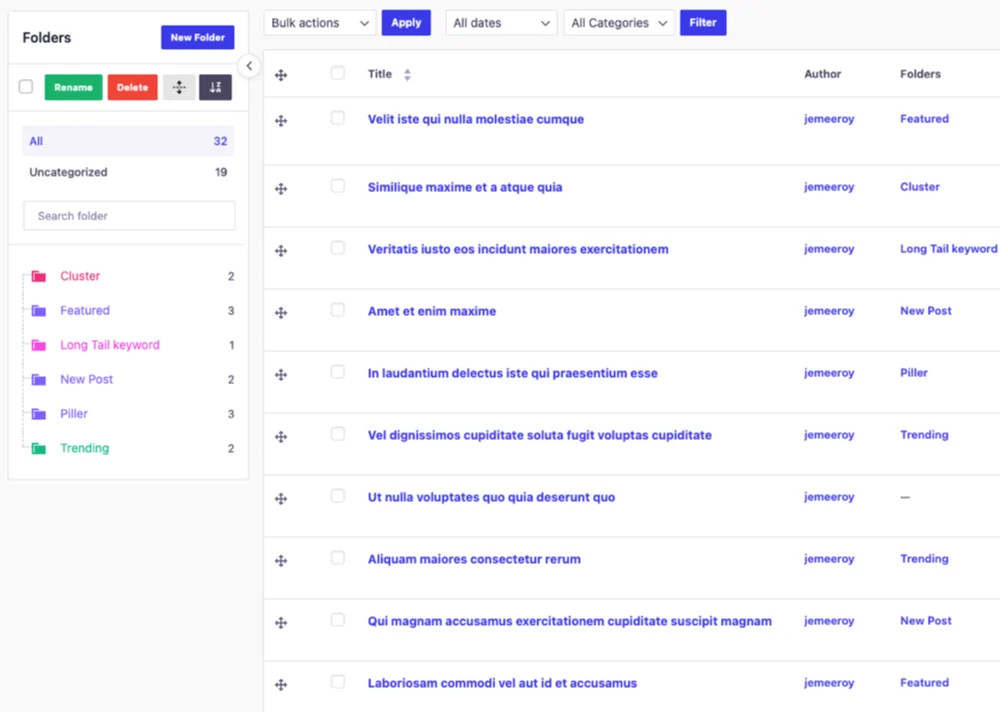
Beyond Media – Organize Posts, Pages & Custom Post Types
This is where WP Adminify leaves every competitor behind.
Most WordPress folder plugins only organize your Media Library. That’s solving half the problem. What about your 200+ blog posts? Your 50 WooCommerce product pages? Your portfolio items, or landing pages?
| What You Can Organize | Example Use Case |
|---|---|
| Posts | Group blog articles by topic cluster, campaign, or publication status |
| Pages | Separate landing pages, legal pages, service pages, location pages |
| WooCommerce Products | Organize by category, season, collection, or supplier |
| Custom Post Types | Portfolios, testimonials, events, courses – anything your theme or plugins create |
Sticky Sidebar + Infinite Scroll
Two features that sound small but change everything when you have thousands of files:
Sticky Folder Sidebar: The folder tree stays fixed on the left side of your screen while you scroll through your media grid. You never lose your place. You never have to scroll back up to switch folders. It’s always right there.
Infinite Scroll: No more clicking “Next Page” to load 20 more images. Your entire library streams in smoothly as you scroll – within whichever folder you’ve selected. Fast, fluid, and frustration-free, even with 10,000+ files.
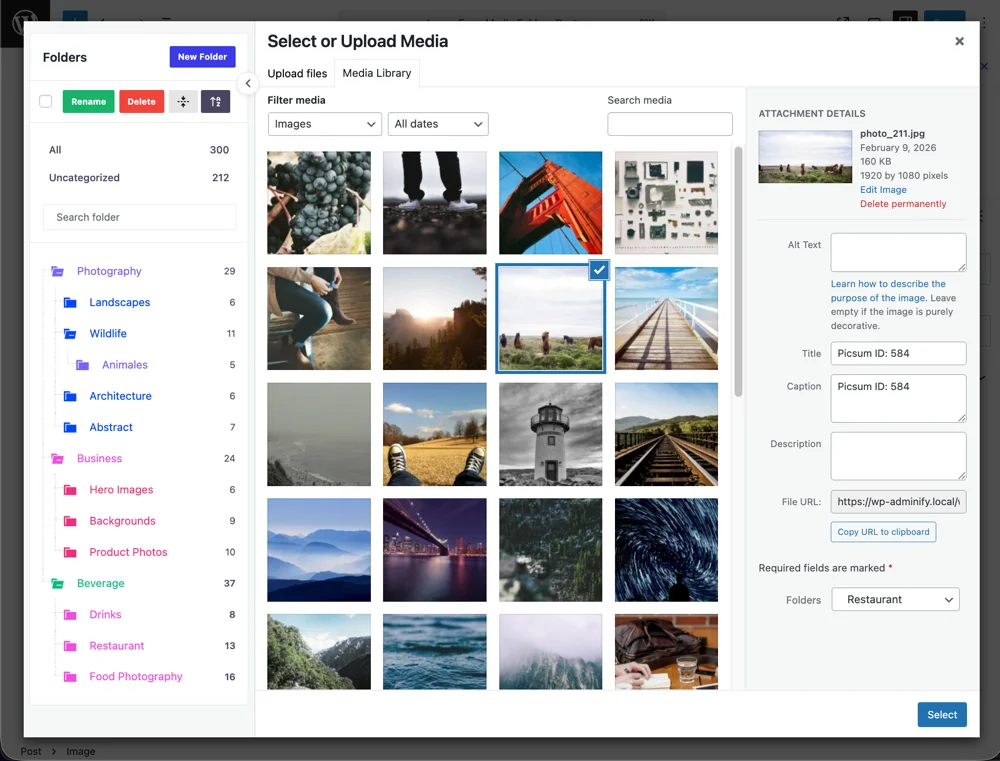
Works Inside Editor – Not Just the Media Library
You’re writing a blog post in Gutenberg. You click “Add Media.” And there they are – your folders, right inside the media modal.
No switching tabs. No leaving the editor. No hoping you remember the filename.
Currently supported:
- WordPress Media Library (grid & list views)
- Gutenberg Block Editor (media modal)
- Classic Editor (media modal)
- Elementor
Coming soon:
- Beaver Builder, and popular page builders
- WordPress Customizer
Folder-based filtering in the Add Media modal means you browse by folder, not by date. When you’re writing a post about “Summer Collection 2026,” you open the “Summer 2026” folder and every image is right there.
Safe, flexible, and easy to manage
Toggle the Media Folder feature on or off without breaking your existing Media Library. Use simple drag‑and‑drop to move files between folders or reorganize as your site grows.
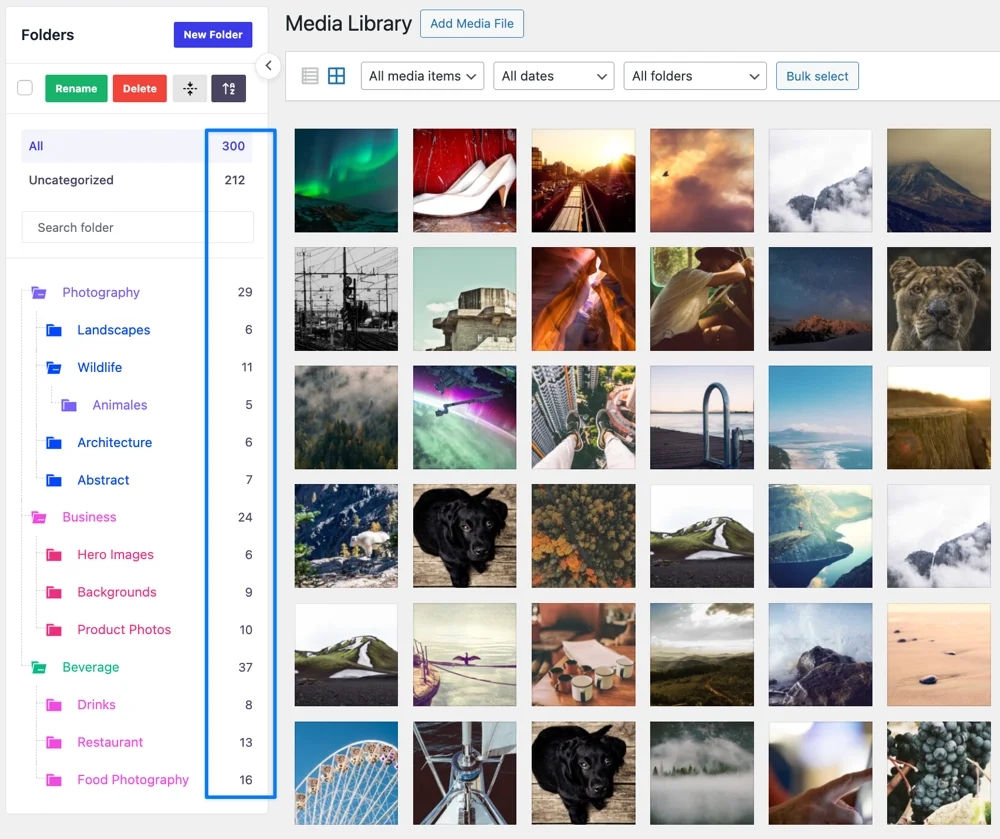
Smart Folder Analytics
Gain insights into your content organization. You will notice a counter that will help you to identify empty folders to clean up your virtual folders.
- Item counters showing content volume per folder
- Identify empty folders for cleanup
- Monitor large collections for optimization
Why WP Adminify vs. Dedicated Folder Plugins?
| Capability | WP Adminify | FileBird | Folders (Premio) | Media Library Folders | Real Media Library |
|---|---|---|---|---|---|
| Media Library folders | Yes | Yes | Yes | Yes | Yes |
| Post Type folders (Posts, Pages, CPTs) | Yes | No | Yes (limited) | No | No |
| WooCommerce Product folders | Yes | No | Partial | No | No |
| Color-coded folders | Yes | yes | Yes | Yes | Yes |
| Move OR Copy choice | Yes (free) | Pro only | Pro only | Pro only | Yes |
| Folder search bar | Yes | Yes | No | No | Yes |
| Folder analytics | Yes | No | No | No | No |
| Sticky sidebar | Yes | No | No | No | No |
| Infinite scroll | Yes | Yes | No | No | Yes |
| Virtual folders (URLs don’t change) | Yes | Yes | Yes | No (moves files) | Yes |
| Part of a larger admin suite (60+ features) | Yes | No | No | No | No |
| Price for full features | Included with WP Adminify | $49/yr | $49/yr | $39/yr | $59/yr |
The bottom line: Other plugins charge $39-59/year for media-only folders. WP Adminify includes media folders, post type folders, WooCommerce product folders, color coding, analytics – plus 60+ other admin customization features – starting free.
WordPress Media Folder FAQs
We have mentioned some questions and our answers for WordPress white label.

“The plugin is stable and does not affect performance, which is a significant advantage. ”

@gdimitrov
WordPress.org
“This plugin is very great: works fine, gives a very nice look to the WordPress Dashboard”

@peopleinside
WordPress.org
“This plugin lets me transform the UI, user-friendly, and fast, essential for a modern website backend.“

Sascha Donelasci
Web Design Agency
“Support has been responsive and helpful, truly putting the customer first” , a rare quality these days.

Louis J Gleason
Developer & Creator
“I am totally blown away with all that WPAdminify can do! ALREADY WAY BEYOND EXPECTATIONS!!”

@shezoom
Startup
“Lot of functionalities and ability to, customize admin & login on WordPress, active support & updates.”

@Myllio
WordPress.org
- Yearly
- Lifetime
Save Page
Save Page
Save Page
Save Bunlde Pricing Page
Save Page
Save Page
Save Page
Save Bunlde Pricing Page
- Yearly
- Lifetime
Save Page
Save Page
Save Page
Save Page
Save Page
Save Page
Get Started with WP Adminify Today
We offer the best WordPress Dashboard Customization and maintenance feature to our users.
Rebrand the admin panel of personal or clients Dashboard within minutes.